 strenos
Privacy Policy
How Strenos handles your data: training data stays on your device and in your own iCloud, anonymous analytics you can switch off, and purchases handled by Apple.
Effective date: September 3, 2026 Last updated: September 3, 2026
This Privacy Policy describes how Strenos (“we”, “our”, “the App”) handles personal information. Strenos is an iOS fitness application designed to help users plan, log, and analyze their workouts. Your training data stays on your device and, if you enable iCloud, in your own private iCloud account. We never sell or share it, and we never see it. The only things that leave your phone are anonymous product analytics, which you can switch off (section 3.4), and subscription processing handled by Apple (section 7).
1. Summary (TL;DR)
- No advertising, no cross-app tracking, no data brokers. We don’t sell or share your data, and we don’t touch advertising identifiers.
- Anonymous product analytics, and you can switch it off. We count which features get used. We never send what you lifted, wrote, or weighed. One toggle in Settings turns it off for good.
- No account on our servers. Your training data never reaches us: it stays on your device and in your own iCloud.
- Your fitness data lives on your iPhone and, if you enable iCloud, in your private iCloud database that only you can access.
- HealthKit data stays on your device. We never read or write Health data outside the workout session you started in the App.
- In-App Purchases are handled by Apple. We never see your payment details.
If a section below contradicts this summary, the section governs.
2. Who we are
Strenos is published by:
Strenos Independent developer. Latvian citizen (EU), currently residing in Georgia Contact: strenos.support@gmail.com
For privacy questions, write to strenos.support@gmail.com. We respond to verified requests within 30 days (or shorter where required by law).
3. Data we process
3.1 Data you create inside the App (stored on-device)
When you use Strenos you generate workout records. Examples:
- Profile: display name, age, gender, height, weight, body fat percentage, body measurements
- Workouts: exercises performed, sets, reps, weight, rest time, RPE (rate of perceived exertion), workout duration, notes
- Programs and timers: training programs you build (Standard, Tabata, EMOM, AMRAP, Interval, Circuit, Yoga); timer presets
- Personal records (PRs): max weight, max reps, time records, custom records
- Wellness logs: hydration glass count, sleep bedtime/wake time, body weight history, body measurements
- Calendar: scheduled workouts, week templates, mesocycle plans
- Optional media: photos / videos you attach to personal records (Plus subscription only)
This data is stored locally in Apple’s SwiftData (a local SQLite-backed database) and is never sent to Strenos.
3.2 Data Apple processes on our behalf
Three Apple-provided systems hold or relay your data. Apple, not Strenos, is the processor:
| System | What it stores | Where |
|---|---|---|
| iCloud (CloudKit), optional and only with Apple Sign-In | Encrypted copy of your workouts, programs, profile, records, media | Your private iCloud account, end-to-end encrypted; only you can read it |
| HealthKit, optional and only after permission | Heart rate, active calories, workout summaries you choose to write back | Apple Health database on your device, encrypted |
| App Store / StoreKit 2 | Subscription receipts, purchase history | Apple’s billing system; we receive an anonymous “subscribed / not subscribed” signal |
We have no direct access to your iCloud, HealthKit, or App Store records. Apple’s privacy policy (https://www.apple.com/legal/privacy/) governs that data.
3.3 Data we do NOT collect
We do not process any of the following:
- Email addresses, phone numbers, or postal addresses
- Your name, your workout notes, the weights you lift, your body measurements, or anything from Apple Health
- Crash reports identifying you (Apple’s optional analytics may include them; see below)
- Advertising identifiers (IDFA / IDFV)
- Screens you view, taps, or session recordings (screen capture and interaction capture are switched off in the SDK)
- Microphone, camera, contacts, calendar events, photos (we only request video write access for record clips, never read)
- Location data
3.4 Anonymous product analytics
To learn which parts of the App people actually use, we send a short, fixed list of events to PostHog, hosted in the European Union. There are fifteen of them, and the full list lives in the App’s source: onboarding finished, program created, workout started, workout finished, paywall shown, trial started, subscription started, program abandoned, readiness logged, record logged, exercise dossier opened, 1RM calculated, timer started, body measurement logged, body composition logged.
Each event carries counts and types, never content. Examples of everything an event can hold: the kind of program, how many exercises it had, how many sets were completed, which timer was picked, which screen opened the paywall.
Events are tied to a random identifier generated inside the App. It is not your name, your email, or your Apple ID, and signing out breaks the link. PostHog also receives the technical metadata its SDK adds automatically, such as device model, operating system version and App version.
You can turn this off. Settings has a single switch; once it is off, nothing is sent at all. Purchases are excluded from that switch, because subscription processing is described in section 7.
4. Apple Sign-In
If you choose to sign in with Apple (“Apple Sign-In”), the App receives a stable opaque identifier from Apple. This identifier:
- Is unique per app + Apple ID, but is not an email or name
- Is stored locally on your device
- Is used only to associate your local data with your iCloud database so the same data appears on your other devices
We do not transmit this identifier to any server we control. If you provide an email at sign-in, Apple may forward a private-relay email to us; we do not currently use it.
To revoke: Settings → Apple ID → Password & Security → Sign in with Apple → Strenos → Stop Using.
5. HealthKit
Strenos integrates with Apple HealthKit when you grant permission. We use HealthKit for:
- Reading: heart rate and active calories during a workout you started in the App, so we can show real-time stats
- Writing: workout records (start/end, calories, heart rate samples) so they appear in Apple Health and contribute to your Activity rings
HealthKit data never leaves your device through Strenos. We do not back up, transmit, sell, or share HealthKit information. Apple’s HealthKit framework is end-to-end encrypted and inaccessible to us outside of an active in-app workout session.
You can revoke HealthKit access any time: Settings → Privacy & Security → Health → Strenos.
6. iCloud sync (CloudKit)
When you sign in with Apple, Strenos uses CloudKit to mirror your data across your own Apple devices. Specifically:
- Container: `iCloud.com.ironpulse.IronPulse.data`
- Database type: Private (only you can read and write it, we cannot)
- Encryption: end-to-end encrypted by Apple
We do not run any custom backend; the only “server” is Apple’s CloudKit. If you sign out of iCloud, the data remains in your iCloud account and on the local device until you delete it.
7. In-App Purchases
Strenos offers an optional subscription, Strenos Plus, plus a one-time Lifetime purchase. All payments are handled exclusively by Apple via StoreKit 2. We never see:
- Your card number
- Your billing address
- Your Apple ID password or any credential
We receive only:
- An anonymous boolean from Apple indicating whether you currently have an active subscription / lifetime entitlement
- Apple’s standard product identifiers (e.g. `com.ironpulse.IronPulse.plus.monthly`)
Subscription transactions are also reported to RevenueCat, which we use to measure revenue and cancellations. It receives what Apple reports about the purchase and an anonymous purchase identifier, and nothing about your training.
Refunds, cancellations, and family-sharing are managed entirely through your Apple ID. See https://support.apple.com/HT202039.
8. Optional widgets and extensions
Strenos includes a Home Screen widget bundle, an Apple Watch app, and a Lock Screen Live Activity. These extensions:
- Read only the data already stored in your local SwiftData store and a private App Group container
- Do not transmit anything outside your device
- Are governed by the same data-handling rules as the main App
9. Children
Strenos is not directed at users under 13. We do not knowingly process data from anyone under 13. If you believe a minor has used the App, contact strenos.support@gmail.com and we will help you erase any local data on the affected device.
10. Your rights
Your training data never leaves your device, so the rights to access, rectify, delete, port and restrict it are exercised right in the App:
| Right | How to exercise |
|---|---|
| Access | Open the App; all your data is visible in Settings → Profile, Progress, Calendar, etc. |
| Rectification | Edit any record directly in the App |
| Erasure (“right to be forgotten”) | Settings → Удалить все данные (“Delete all data”). Permanently removes every workout, record, profile, and media file from this device, and from your iCloud private database when re-synced |
| Portability | Settings → Backup → Export. Produces a JSON file with all your data |
| Restriction / Objection | Disable HealthKit, iCloud, and Bluetooth in Settings → Privacy at any time |
| Withdraw consent | Apple Sign-In: revoke via iOS Settings → Apple ID → Strenos → Stop Using |
| Stop product analytics | Settings → Privacy → Usage stats. Turning it off stops every event immediately. To have the events already sent deleted, write to us and we will ask PostHog to erase them |
EU / UK users (GDPR): the legal basis for on-device data is your consent (Art. 6(1)(a)) together with our legitimate interest in delivering the fitness service you asked for (Art. 6(1)(f)). The same legitimate interest covers the anonymous product analytics of section 3.4, which is why it is switchable rather than mandatory. Analytics is processed on servers inside the European Union, so no transfer outside the EEA takes place. Nothing you write, lift or measure is ever transferred by us.
California residents (CCPA / CPRA): we do not sell or share personal information for cross-context behavioral advertising. Submit verified requests to strenos.support@gmail.com. We will respond within 45 days.
Brazil (LGPD), Quebec (Law 25), other regional laws: equivalent rights apply; same contact email.
11. Data retention
- On-device: until you delete the App, delete the data through Settings, or factory-reset the device.
- iCloud: until you sign out and delete the iCloud container, or use Apple’s “Manage Storage” to remove Strenos data.
- App Store receipts: governed by Apple’s retention policy.
- Product analytics: events stay in our PostHog project (EU) while the project is active. They hold no names, notes, weights or Health data, and you can stop new ones at any moment in Settings.
- Subscription records: kept by RevenueCat for as long as we run the subscription, tied to an anonymous purchase identifier.
We keep no retention timer for your training data, because we never hold it in the first place.
12. Security
Strenos uses Apple’s standard on-device encryption:
- SwiftData store is encrypted at rest when the device passcode is set
- HealthKit data is encrypted by Apple
- iCloud private database uses end-to-end encryption
- StoreKit 2 transactions are signed and verified
- The App itself makes only two kinds of outbound calls: anonymous product analytics (section 3.4, EU servers, switchable) and subscription processing (section 7). Everything else is Apple’s own traffic: App Store metadata, CloudKit sync, and Apple’s analytics if you opted in
- Your training data, your notes, your measurements and your Health data are never part of either call
If you discover a vulnerability, please email strenos.support@gmail.com. We follow coordinated disclosure.
13. Third-party services
13.1 What we do use
| Service | What it receives | Why | Can you switch it off? |
|---|---|---|---|
| PostHog (EU hosting) | The fifteen events from section 3.4, their counts and types, a random identifier, and standard device / OS / App version metadata | To see which features are used and where people get stuck | Yes, one switch in Settings |
| RevenueCat | Subscription transactions reported by Apple, tied to an anonymous purchase identifier | To measure subscription revenue and cancellations | No, but it never receives training data |
RevenueCat runs in observer mode: purchases themselves are handled by Apple’s StoreKit, and RevenueCat only watches the result. Neither service ever receives your name, your workouts, your notes, your measurements, or anything from Apple Health.
13.2 What we do not use
To be explicit, Strenos contains no integrations with:
- Google Analytics, Firebase, Crashlytics, Sentry, Bugsnag, AppCenter
- Facebook SDK, Meta Pixel, AppsFlyer, Adjust, Branch
- Mixpanel, Amplitude, Heap, Segment
- AdMob, Unity Ads, ironSource, AppLovin
- OneSignal, Pushwoosh, or any third-party push provider
- TikTok, Twitter, or social-media SDKs
Beyond the two services named in 13.1, the App runs on Apple’s own frameworks: HealthKit, CloudKit, StoreKit, WidgetKit, ActivityKit, Bluetooth and the rest.
14. Changes to this policy
If we change how we handle your data, we will:
- Update the “Last updated” date at the top of this document
- Say what changed, in plain words, in the section it affects
- Ship anything more sensitive than anonymous product analytics switched off by default, so it starts only if you turn it on
Product analytics is the one thing that ships switched on. It carries no names, no notes, no weights and nothing from Apple Health (section 3.4), and the switch that stops it sits in Settings under Privacy, one tap away, at any moment.
Older versions of this policy are available on request.
15. Apple’s privacy policy
Because Apple processes your iCloud, HealthKit, and App Store interactions, their privacy policy also applies: https://www.apple.com/legal/privacy/
16. Contact
| Topic | Address |
|---|---|
| Privacy questions, GDPR / CCPA requests | strenos.support@gmail.com |
| Security disclosure | strenos.support@gmail.com |
| Support | strenos.support@gmail.com |
We aim to respond within 30 days.
*Strenos. Built by athletes, for athletes. We give your data the same privacy we want for our own.*
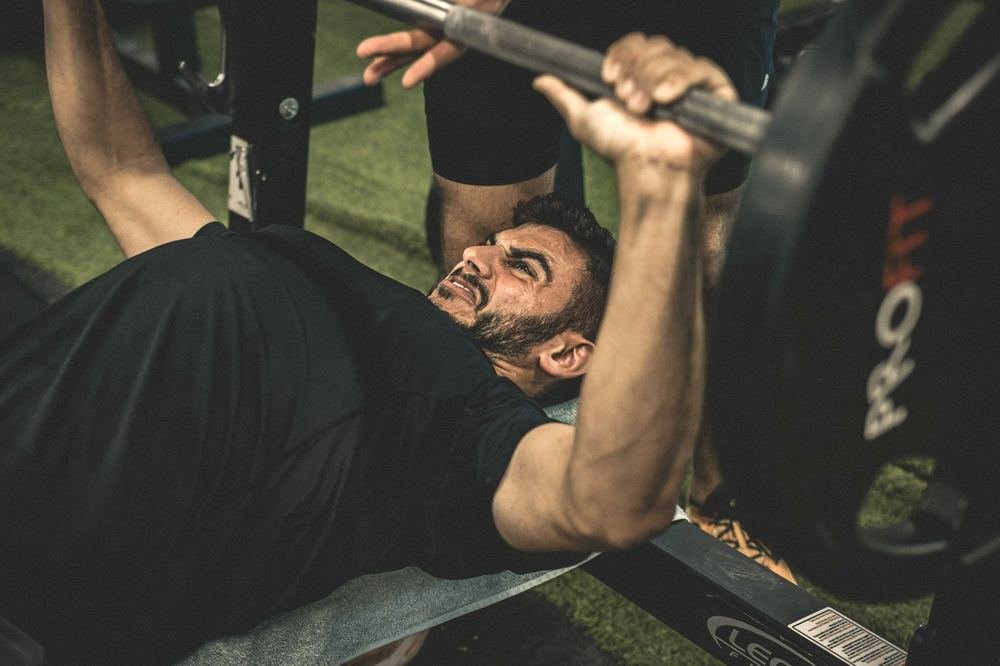

5/3/1, nSuns, GZCLP, Texas and Smolov Jr on your wrist.
Every set comes with its weight, reps and plates per side, worked out from your maxes. You check sets off on your Apple Watch, and the program moves your weights by its own rules.
Free on the App Store.